Watch
Discipline
Opponent
Match to:
Time control
Backgammon online — play free backgammon with friends, no sign-up
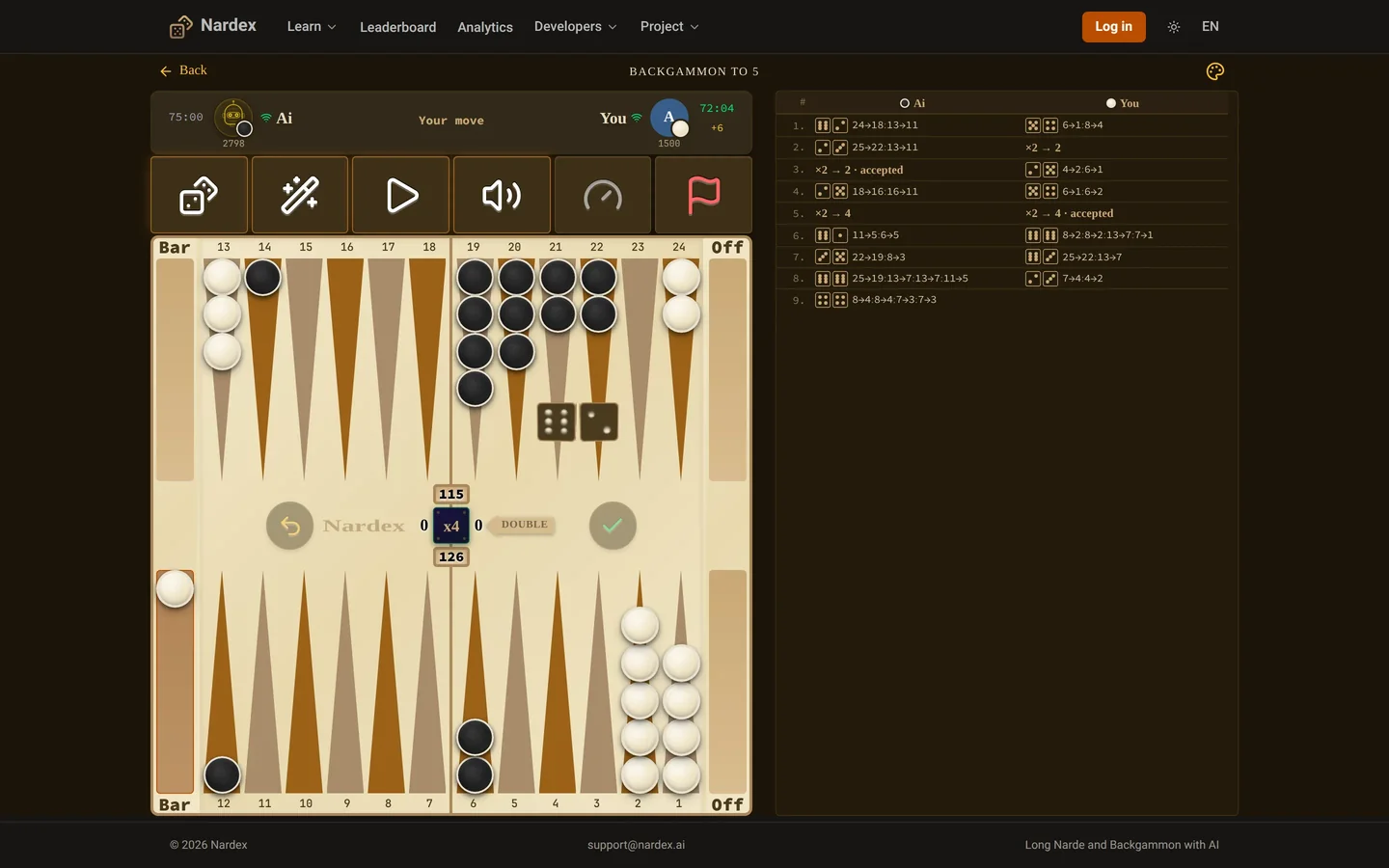
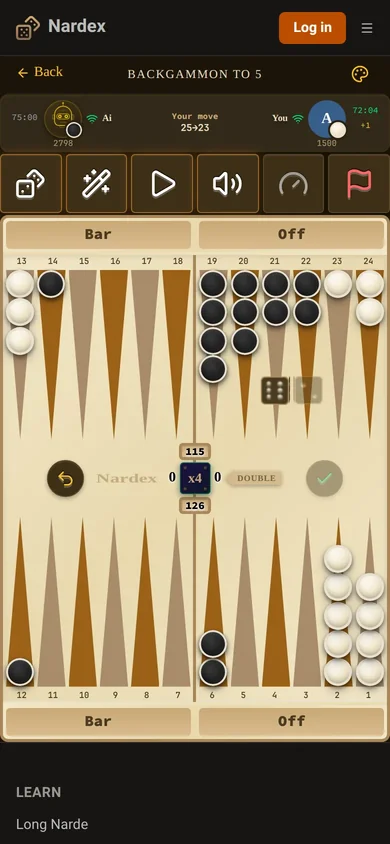
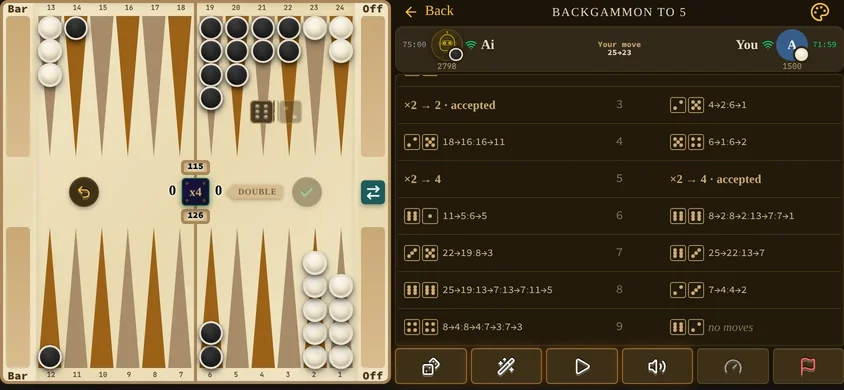
Free backgammon online on any screen — no download, no sign-up
This is where you play backgammon online — free, without ads and fully in English — in a game room built to fit your screen instead of asking you to squeeze into it.
On a desktop, the move history stands beside the board. On a tablet held upright, you can put the history away and give the board the whole width. On a phone held upright, the board fills the screen with the players and the buttons above it; turn the phone on its side and the board takes one half, while the players, the history and the buttons take the other — a button on the board's edge swaps the two halves. In the Android app, Auto-rotate lets the board turn with the phone, or holds it the way you like.
There is nothing to install and no account to make: the board opens right in your browser, and the game starts from this page.
Prefer an app? Get the Android app.
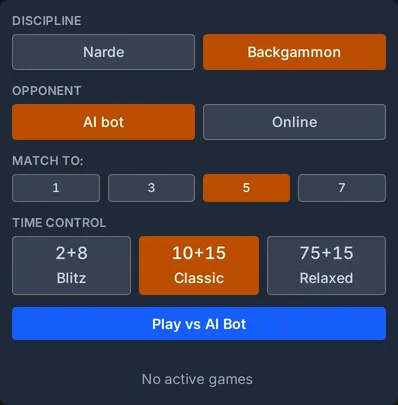
Play backgammon online in four taps
Every game starts from four choices in the lobby, and your picks are remembered, so the next game is ready to go.
Pick the game: Backgammon comes up first, and right beside it is Narde — long narde, one head and no hitting, with a page of its own: long narde online. Pick the opponent: AI bot for the Nardex engine, or Online for a person. Pick Match to: 1 for a single game, or 3, 5 or 7. Pick the clock: Blitz or Classic, Relaxed against the engine, Async against a person. Then press Play vs AI Bot, and the engine sits down at once — or Create & Get Invite Link to play a person. Below the lobby you can watch other players' games, and the leaderboard shows the strongest players.
Multiplayer backgammon — a live opponent across the board
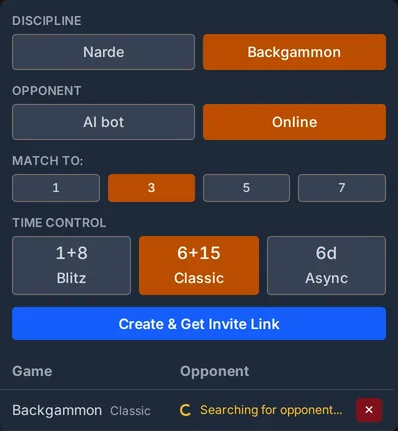
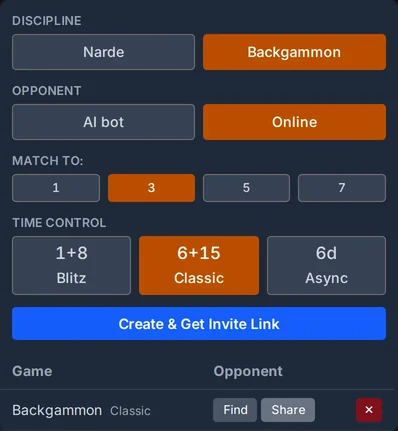
When players are online, the lobby pairs you up and the game begins — nothing to arrange. Choose Online and press Create & Get Invite Link: the game lands in your list with Find, Share and ✕.
Press Find: the row reads Searching for opponent… — ✕ calls it off at any moment. Your opponent wants the same game, match length and clock — someone close to your rating first, then a wider circle the longer you wait. Backgammon has a queue of its own, so you never land in a long narde game. Guests meet guests, account holders meet each other, and with a free account your games are rated on Glicko-2. When the room is quiet, play backgammon against the computer: Nardex's own neural-network engine sits down at once, at full strength, at any hour — the same engine developers reach through the analytics API.
Backgammon with friends — a two-player game by invite link
To play backgammon with friends, one link is all it takes: your friend opens it in a browser and sits down at the board, and neither of you needs an account.
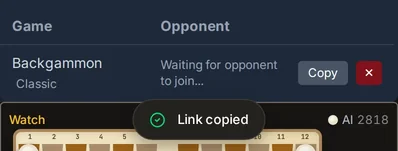
Set up an Online game just as for a live opponent, but on its row press Share instead of Find: it hands the link to your device's share menu, ready for any messenger — or copies it, where there is no such menu. Until your friend arrives, the game waits in your list. There is no need to share a Wi-Fi network: the same room or the other side of the world, a phone or a laptop — anything with a browser will do. And if your evenings never line up, pick Async and stretch the match over days: each of you gets two days a point.
Your online backgammon board in seven skins
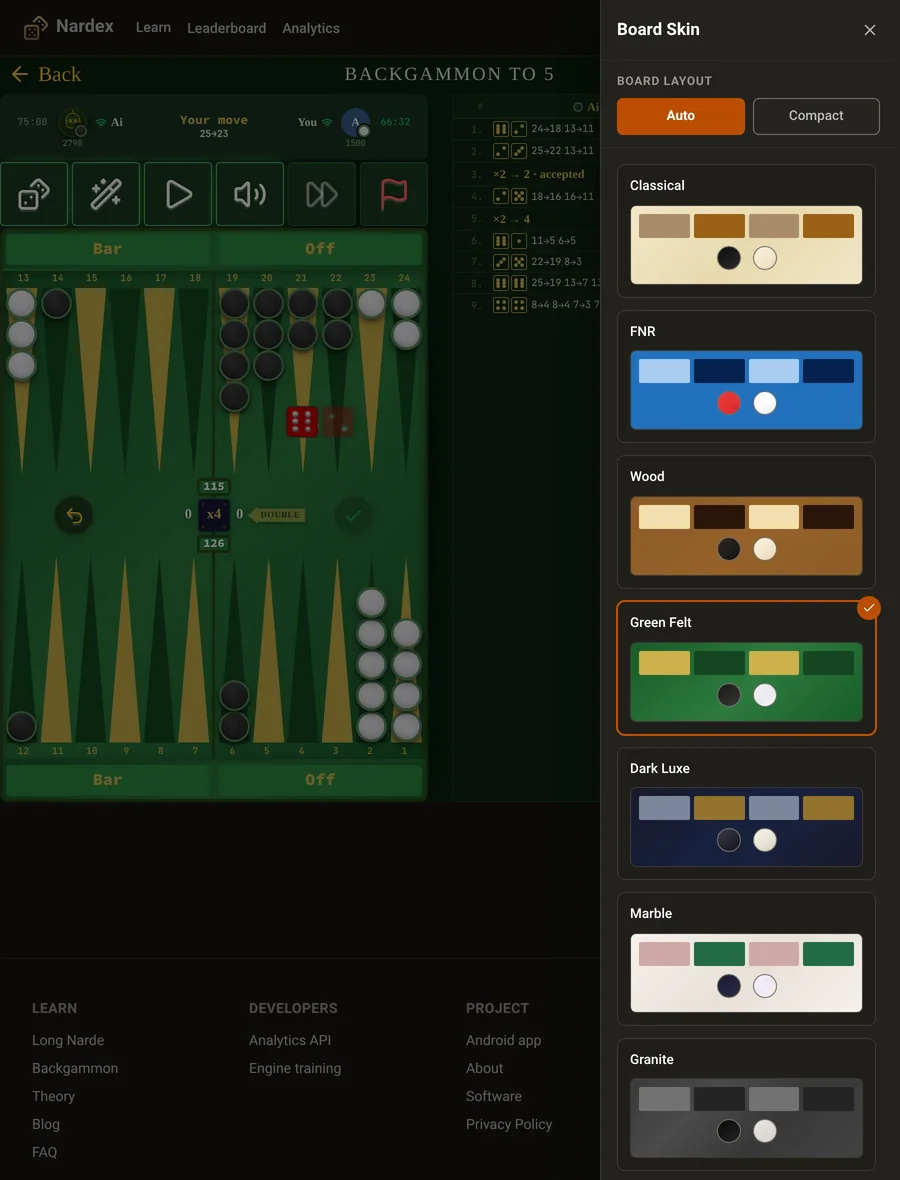
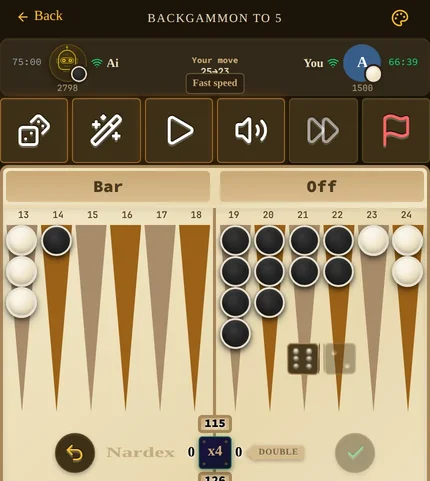
The palette button in the game room's header — Change board skin — opens the board skins, each previewed in its own colours.
Classical, FNR, Wood, Green Felt, Dark Luxe, Marble and Granite: pick one, and the board changes under your game. Above them sits Board layout — Compact, or Auto, which adds edge wells when there's room. Your pick is kept in this browser, so the next game opens on the same board.
Backgammon at your own pace
A row of buttons in the game room sets how the game moves for you.
The speed button cycles Normal speed, Fast speed and Instant: Fast halves the checkers' flight, Instant quarters it, and the dice roll quicker too. Auto roll throws your dice as your turn begins. Tap auto-move plays a checker by the larger die the moment you tap it — by the smaller when the larger has nowhere to go — and a tap on a checker on the bar brings it in when only one point is open. Both start switched on, and every switch is remembered for your next game.
Every move written down — the move history
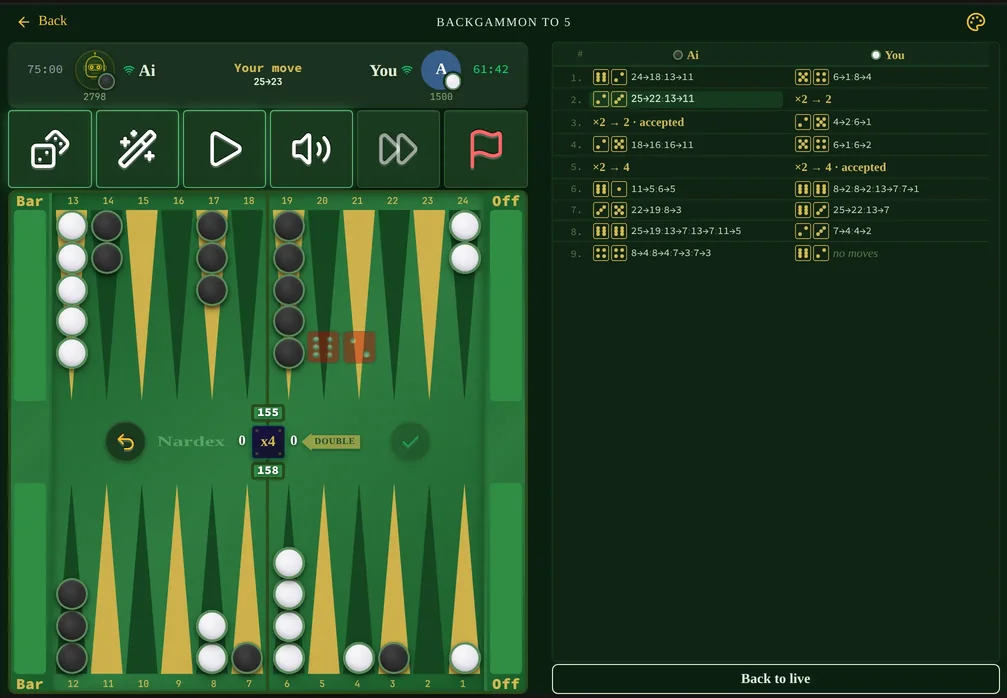
Every move of the game is written down as you play, cube decisions included.
Tap any move in the history, and the board shows the position after it; Back to live returns you to the game. On a desktop the history is always beside the board; on a tablet held upright, Show move history and Hide move history put it out or away; on a phone on its side it fills the other half. With a free account, the engine goes through every game you finish, move by move: each move gets a grade, from ok to blunder, the best move stands beside it, and the whole game comes down to a single figure — PR. The story behind the grades is in the backgammon analysis guide.
Backgammon matches to 1, 3, 5 or 7 points
Backgammon on Nardex is the standard game, played the way the World Backgammon Federation (WBGF) plays it — no house variants — and in a match to 3, 5 or 7 points the doubling cube sits by the board.
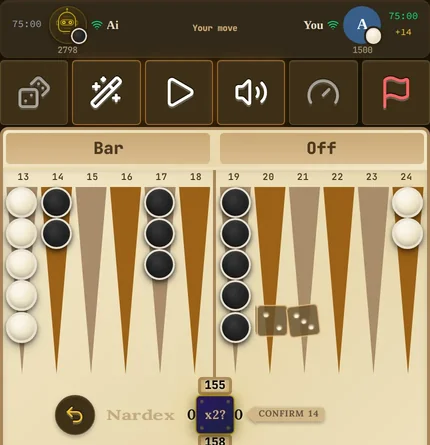
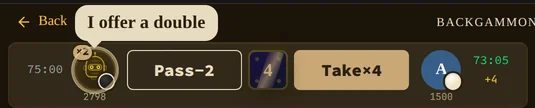
The cube comes into play after the first move, and you offer a double before you roll. Tap the cube: the arrow beside it reads double, then confirm — a second tap sends the offer, and while you hold it, Auto roll waits. Your opponent answers Take, and the game goes on at twice the stake with the cube on their side, or Pass, and the game is yours. The cube climbs as far as 64; in the Crawford game it wears «Craw ford», and nobody doubles. The setup, hits and the bar, gammons and backgammons are all in the backgammon rules, and the cube has a whole doubling cube guide to itself.
Top players
Narde
- 1 Oleg
- 2 Bobonazarova
- 3 Ana
- 4 liberaanimaa
- 5 rbg
Backgammon
- 1 Cerber
- 2 mak3l3l3
- 3 Augustin
- 4 Shanlik
- 5 mintajur190
Get the app
Download Android APK Coming soon App Store
Get narde on your Android phone — long narde and backgammon, free, no sign-up. iPhone version coming soon.
Backgammon app for AndroidFrequently asked questions
How do I play backgammon online with friends?
By link, over any connection: the same Wi-Fi or mobile data, one room or two cities. The link appears as soon as you create a game against an Online opponent; your friend opens it in a browser and joins without signing up. With several friends it works the same way — every game has its own link.
Can I play backgammon against a real person right now?
Yes, when players are online: create a game against an Online opponent and press Find, and the lobby looks for your match — you can call off the search at any moment. When it is quiet, the engine is always there and starts the game at once — or invite a friend by link.
What time controls are there?
Four. Blitz for a quick game and Classic, with noticeably more time, against anyone; Async, where the clock runs in days — two a point — against people only; and Relaxed, fifteen minutes a point, against the engine only.
How long is a match?
A single game, or a match to 3, 5 or 7 points — your choice. From 3 points up the doubling cube is in play, up to 64, with the Crawford rule, and the clock grows with the length of the match.
Can I play backgammon on my phone?
Yes, right in the browser, upright or on its side: held upright, the board fills the screen; turned, the board takes one half and the players and the move history the other. On Android there is also a free app that can turn with the phone.
What does a free account add?
You can play without one — against the engine, with a friend by link, with other guests. A free account adds a move-by-move review of every game and a Glicko-2 rating, and whatever you played as a guest in this browser comes with you when you sign up.